
Jackpotjoy Mobile App: Download, Features & How to Play on Mobile
Fancy a game of bingo on the bus or a few spins while the kettle boils? Jackpotjoy has a free mobile app for iPhone and Android that puts bingo rooms, slots and daily free games in your pocket. This independent review breaks down how to get it, what it does and how the mobile experience stacks up against desktop.
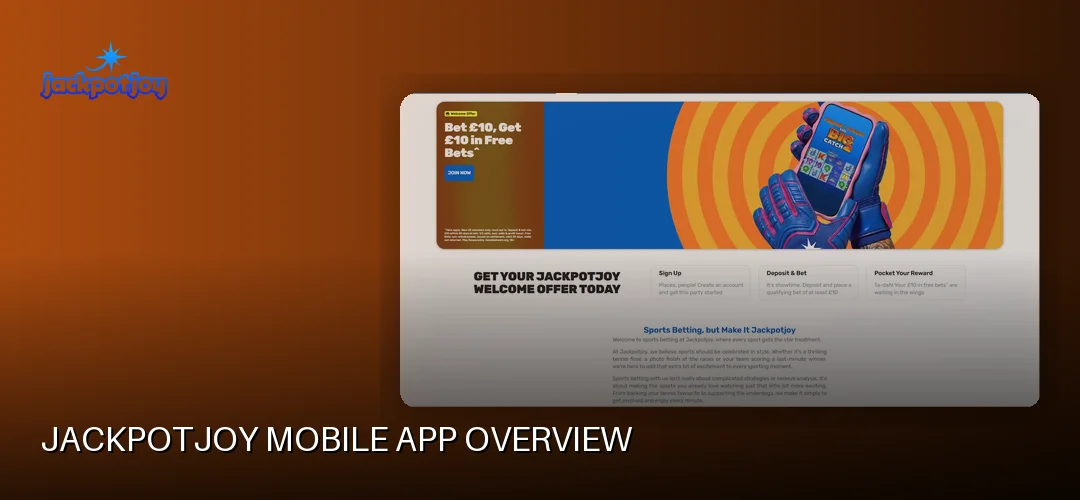
Jackpotjoy Mobile App Overview
Yes, Jackpotjoy has a proper mobile app — not just a shrunken-down website. There’s a dedicated iOS app on the App Store and an Android version available as an APK, plus a fully optimised mobile browser site for anyone who’d rather not install anything. The app covers mobile bingo, top slots and daily free games, all tied to your regular Jackpotjoy account.
How good is Jackpotjoy on mobile? Pretty solid, judging by the store ratings. A review from June 2026 listed the iOS app at 4.7 out of 5 from more than 32,000 ratings, with a download size of 91.3MB, while the Android app sat at 4.3 out 5 from over 15,500 ratings. Those are the kinds of scores that suggest the app actually works as advertised rather than being an afterthought.
The operator behind it, Gamesys Operations Limited (part of Bally’s Corporation, alongside Virgin Games, Monopoly Casino and Rainbow Riches Casino), has run Jackpotjoy since 2002 under UK Gambling Commission licence number 38905. So this isn’t some fly-by-night app — it’s the mobile arm of one of the UK’s longest-running bingo brands, with games independently tested by NMi.
The interface is built for thumbs: big tappable tiles, a lobby you can scroll with one hand, and quick access to bingo rooms and slots. If you’re mainly here for the slots side of mobile Jackpotjoy, our dedicated page covers that in depth: Jackpotjoy slot games.
How to Download the Jackpotjoy App
Downloading the Jackpotjoy app is free and takes a couple of minutes. iPhone and iPad users grab it from the App Store, while Android users download the app as an APK. Both versions are free to install, and you can also skip the download entirely and play through your mobile browser if you prefer.
How do I download the Jackpotjoy app for Android?
Android users can get the Jackpotjoy Android app as an APK download. Visit Jackpotjoy on your mobile browser and follow the download link for Android — the site will serve you the official APK file. Because it comes as an APK rather than through a store listing, your phone may ask you to allow installations from your browser or “unknown sources” in Settings before it will install. Once that’s toggled, the install runs like any other app.
- Open Jackpotjoy in your Android browser (Chrome works fine)
- Tap the app download link for Android
- Allow the APK installation if your phone prompts you
- Open the app and log in or register
How do I download the Jackpotjoy app for iPhone and iPad?
iPhone and iPad owners have the simpler route: search “Jackpotjoy” in the App Store, tap Get, and the free download installs like any other app. At around 91.3MB it’s light enough to pull down over a decent Wi-Fi connection in moments. The iOS version works on tablets too, so iPad players get the full layout rather than a stretched phone screen.
What about playing without downloading?
If you’d rather keep your phone clutter-free, the Jackpotjoy website is fully optimised for mobile browsers. Just load it in Safari or Chrome, log in, and everything — bingo rooms, slots, daily free games — works in the browser. More on that in the mobile vs. desktop section below.
Jackpotjoy App Features & Functionality
The Jackpotjoy bingo mobile app isn’t a cut-down version of the site. You get the full game menu: online bingo in 75-ball, 80-ball and 90-ball flavours, slots including the flagship Double Bubble from Roxor Gaming, Slingo, arcade and instant-win scratchcards, table games and a live casino powered by providers like Evolution, Pragmatic Play, Inspired Gaming and Gamevy. Daily free games and demo play are also in there, so you can try titles without spending a penny.
Mobile players can also claim the same welcome offer as desktop users: Play £10, Get £30 of Free Bingo* or Play £10, Get 100 Free Spins** on Fishin Frenzy The Big Catch 2 (1p coin size, 10 lines). New members only, opt in required, min £10 deposit and £10 wager, 30 day expiry from deposit. Free spin winnings are paid as cash with no wagering requirements, according to reviews. Play Responsibly. GambleAware.org. 18+.
Other handy bits of functionality:
- Push notifications for bingo game reminders and promotions, so you don’t miss your favourite room opening
- Touch-friendly controls — daubing tickets and spinning reels feel natural on a touchscreen
- Live chat support built into the app, available 24/7 for free, alongside email support
- Responsible gambling tools accessible from your account: deposit limits, session reminders, cool-off periods from 24 hours to six weeks, self-exclusion and GAMSTOP
How Do I Log In to the Jackpotjoy App?
Logging in on mobile uses the same username and password as the desktop site. Open the app, tap the login button, enter your details and you’re in — your balance, bonuses and bingo tickets all carry over, because it’s one account across every device. UK players use the same login whether they’re on the app or the mobile browser.
For Android users, the login process is identical on the APK version: launch the app, enter your credentials, done. There’s no separate “app account” to set up. If you registered on desktop years ago, those same details work on the app today.
Troubleshooting mobile login problems
If the Jackpotjoy app won’t log you in, run through the usual suspects:
- Check your username and password — use the “forgotten details” link if needed
- Update the app to the latest version; outdated builds can break login
- Restart your phone and check your Wi-Fi or mobile data connection
- Reinstall the app if it’s crashing or stuck on the loading screen
- If you’re wondering whether the Jackpotjoy app is down entirely, check via live chat on the mobile site — support runs 24/7
Persistent problems? The 24/7 live chat team can look at account-specific issues like verification holds.
Mobile Deposits & Withdrawals
You can handle all your banking inside the app — deposits, withdrawals and account verification. Jackpotjoy accepts Visa Debit, Visa Electron, Mastercard debit, Apple Pay and Google Pay, with bank transfer available for withdrawals. Credit cards aren’t accepted, in line with UK regulations. The minimum deposit is £10, with maximums of up to £10,000 per transaction on debit cards and Google Pay and up to £5,000 on Apple Pay.
What is the Jackpotjoy withdrawal time for Apple Pay?
Jackpotjoy aims to process withdrawal requests within 4 to 24 hours, and pending requests are usually processed within 4 hours. After that, payout speed depends on your method: Visa Direct can land in as little as 4 hours, Mastercard and bank transfer take up to 1 working day, and Visa Debit up to 3 working days. Apple Pay withdrawals start from £10. Debit card withdrawals run from £10 up to £25,000 per transaction.
Jackpotjoy operates a closed-loop policy, meaning funds go back to the method you deposited with where possible. You’ll also need to complete verification — an ID document and, if requested, payment method documents — before your first withdrawal, so it’s worth getting that done early rather than when you’re waiting on a win.
On the security side, app payments benefit from the same UK Gambling Commission oversight as the desktop site, and Apple Pay and Google Pay add their own biometric approval on top of every deposit.
Mobile vs. Desktop Experience
Honestly, there’s very little you’d call a sacrifice on mobile. The full game selection — bingo rooms, slots, Slingo, live casino — is available in the app, and the same welcome offer applies. Performance-wise, the app is purpose-built for phones, so navigation feels snappier than pinching around a desktop site on a small screen.
So when should you pick each one?
- App: best for regular play — push notifications, quick login, touch-optimised controls and one-tap access to your favourite bingo rooms
- Mobile browser: ideal if you’re low on storage, sharing a device, or just having a one-off flutter without installing anything
- Desktop: nice for a bigger screen during long bingo sessions or when you want multiple rooms visible at once
Your account, balance and bonuses sync across all three, so you’re never locked into one way of playing.
Frequently Asked Questions about Jackpotjoy
Does Jackpotjoy have a mobile app?
Yes. Jackpotjoy offers a free mobile app for iPhone and Android, with the Android version available as an APK download. The app includes bingo, slots and daily free games, and the website is also fully optimised for mobile browsers if you’d rather not install anything.
How do I download the Jackpotjoy app?
iPhone and iPad users can download it free from the App Store by searching “Jackpotjoy”. Android users download the APK from the Jackpotjoy mobile site. Both installs take a couple of minutes, and you log in with your existing account details once it’s installed.
Is the Jackpotjoy app available for Android?
Yes, there’s a dedicated Jackpotjoy Android app distributed as an APK. Download it via the Jackpotjoy website on your Android phone, allow the installation when prompted, and you’ll have the full app — bingo, slots, free games and account banking — ready to go.
Can I play all Jackpotjoy games on mobile?
The app carries the full game range: 75, 80 and 90-ball bingo, slots including Double Bubble, Slingo, scratchcards, table games and live casino from providers like Evolution and Pragmatic Play. Daily free games and demo play are included too, so nothing meaningful is missing on mobile.
How do I log in to the Jackpotjoy app?
Use the same username and password as the desktop site — there’s no separate app account. Open the app, tap login, enter your details and your balance, bonuses and tickets are all there. If you can’t get in, try updating or reinstalling the app first.
Is the Jackpotjoy mobile app safe?
Yes. Jackpotjoy is operated by Gamesys Operations Limited under UK Gambling Commission licence 38905, with games independently tested by NMi. The app includes responsible gambling tools such as deposit limits and self-exclusion, and payments like Apple Pay add biometric approval on every transaction.
Can I deposit and withdraw using the Jackpotjoy app?
Yes, full banking is built in. Deposit from £10 using Visa Debit, Visa Electron, Mastercard debit, Apple Pay or Google Pay, and withdraw back to your deposit method. Withdrawals are processed within 4 to 24 hours, with Visa Direct arriving in as little as 4 hours after processing.
Why won’t the Jackpotjoy app work on my phone?
Common fixes: update the app to the latest version, restart your phone, check your internet connection, or delete and reinstall it. Android users should confirm APK installations are allowed. If the app still misbehaves, Jackpotjoy’s 24/7 live chat can check whether it’s an account issue or wider outage.
Ready to take your bingo and slots on the move? Download the free Jackpotjoy app or fire up the mobile site, and new members can opt in to Play £10, Get £30 of Free Bingo* or Play £10, Get 100 Free Spins** on Fishin Frenzy The Big Catch 2. 18+. Play Responsibly. GambleAware.org.